


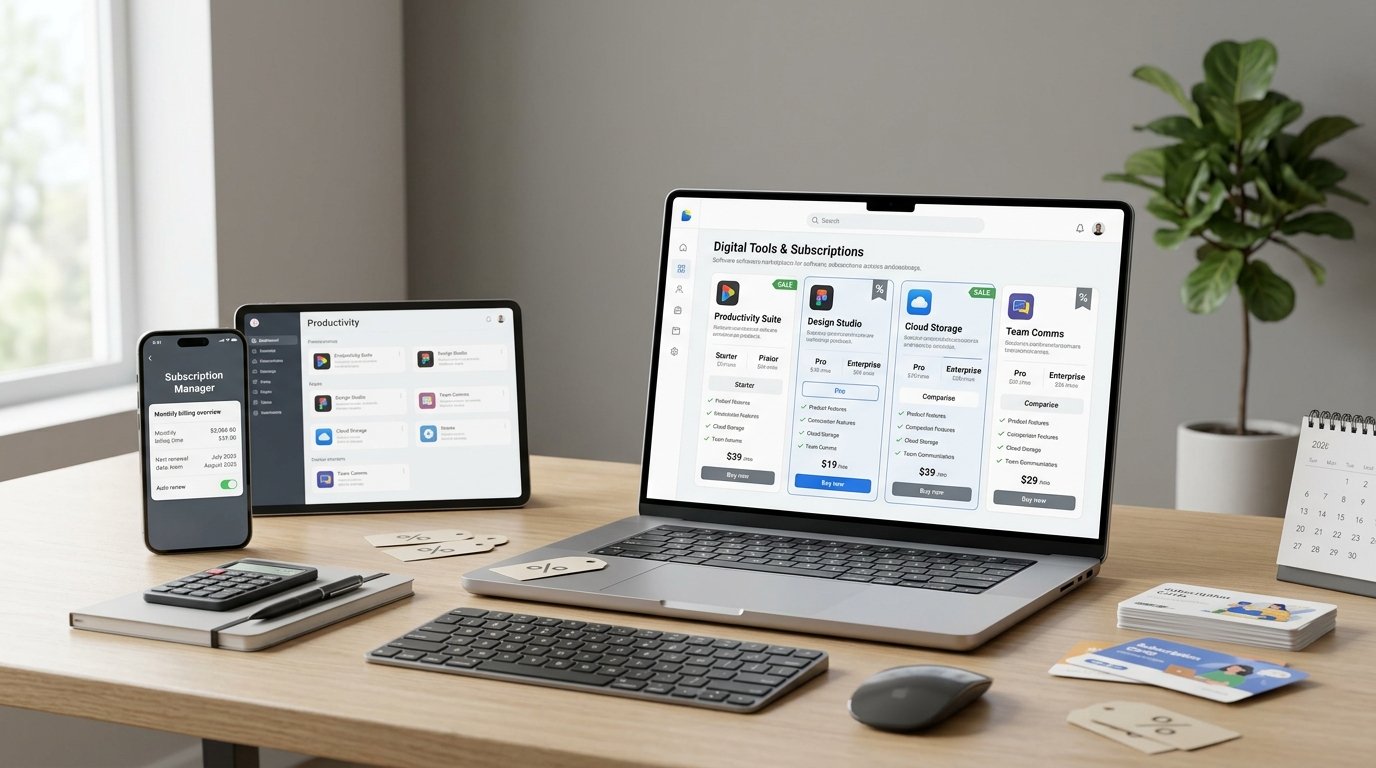
Software has become an essential part of everyday life. Students use digital tools for assignments and research, professionals rely on productivity applications, and businesses invest in software for accounting, marketing, design, communication, and project management. However, paying for multiple subscriptions every month can quickly increase your expenses.
The good news is that you do not always need to pay full price for the software you use. Free versions, student discounts, official promotional offers, annual subscription plans, and affordable alternatives can help you reduce your software expenses without sacrificing essential features.
In this guide, we will explain how to save money on software in 2026, where to look for legitimate deals, how to manage recurring subscriptions, and how to choose the best tools for your budget.
Why Software Subscriptions Can Become Expensive
Many software providers use monthly or annual subscription models. These plans can be convenient because they provide regular updates and access to new features, but the costs can add up when you subscribe to several applications.
For example, you might pay for a design tool, a writing assistant, cloud storage, a video editor, and a project management application. Even if each subscription seems affordable individually, the combined expense can become significant over a year.
Some subscriptions also renew automatically after a free trial or promotional period. If you forget to cancel a service you no longer use, you may continue paying unnecessarily.
The best way to control these costs is to review your software needs regularly, compare available plans, and take advantage of legitimate savings opportunities.
Look for Official Software Discounts
One of the easiest ways to save money is to check the software provider’s official website before purchasing a subscription.
Many companies offer introductory pricing, seasonal promotions, limited-time deals, or discounted bundles. These offers may be available during major shopping events or when a company launches a new product or plan.
Before buying, compare the promotional price with the regular renewal price. A large introductory discount may apply only to the first billing period, so it is important to understand what you will pay afterward.
Always read the offer’s terms, including eligibility requirements, expiration dates, supported regions, and cancellation conditions.
Money-saving tip: Visit the official pricing page first, then compare the offer with reputable coupon websites to see whether a better legitimate deal is available.
Take Advantage of Student and Education Discounts
Students and educators may qualify for free software, reduced subscription prices, or special educational plans. These benefits can be especially valuable for people studying graphic design, programming, video production, business, or digital marketing.
For example, Microsoft provides eligible students with access to educational software options, including web versions of Word, Excel, and PowerPoint. Other software companies may offer educational plans for design, development, productivity, and creative applications.
Eligibility rules vary. Some offers require a verified school email address, while others may request proof of enrollment or institutional verification.
Students in different countries may have access to different deals, so check the provider’s regional website before making a purchase.
Money-saving tip: Before subscribing to a paid plan, search the provider’s official website for student, teacher, university, or education pricing.
Use Free Software Alternatives
You can often save a substantial amount of money by choosing a free application instead of paying for premium software.
Free alternatives are available for many common tasks, including photo editing, video editing, office productivity, graphic design, and project management.
Here are some examples:
| Software Need | Free or Low-Cost Option to Consider |
|---|---|
| Documents and spreadsheets | Google Docs, Sheets, and Slides |
| Photo editing | GIMP or Photopea |
| Video editing | DaVinci Resolve, Shotcut, or Kdenlive |
| Graphic design | Canva’s free plan |
| Windows antivirus | Microsoft Defender |
| Notes and organization | Free plans from supported productivity apps |
| Project management | Trello’s free plan |
| PDF viewing | A trusted free PDF reader |
Free plans may have restrictions on storage, advanced features, export quality, collaboration, or usage limits. Check the current terms before replacing a paid application.
Money-saving tip: Test a free alternative with a real project before cancelling your existing subscription. This helps you confirm that it meets your needs.
Compare Monthly and Annual Subscription Plans
Some software providers offer a lower average monthly price when you pay for a full year in advance. This can be useful if you know you will continue using the application regularly.
However, annual billing is not automatically the cheapest choice for everyone. It usually requires a larger upfront payment and may be less flexible if your needs change.
Before selecting a plan, compare the total annual cost, cancellation terms, renewal date, and any additional fees.
For example, if you only need a video editor for one short project, a monthly plan may cost less overall than committing to a full year. If you use the same professional tool every day, an annual plan may provide better value.
Money-saving tip: Choose annual billing only for software you use consistently and expect to need throughout the subscription period.
Cancel Subscriptions You No Longer Use
Unused subscriptions are one of the easiest expenses to overlook. You may have signed up for a free trial, tested a new application, or purchased software for a temporary project and then forgotten about it.
Create a list of your active subscriptions and review them every month or quarter.
For each application, ask yourself:
- Do I use this software regularly?
- Does it provide features I cannot get elsewhere?
- Is there a free plan that would meet my needs?
- Is the subscription worth its annual cost?
- Do I need this plan, or would a cheaper tier be sufficient?
Cancel services that no longer provide enough value. If a subscription offers recurring billing, review the provider’s account settings and cancellation instructions.
Money-saving tip: Set a calendar reminder before a free trial ends or an annual plan renews so you have time to decide whether to continue.
Compare Software Bundles and Combined Plans
Some companies offer bundles that include several applications or services under one subscription. These can be useful when you regularly use multiple products from the same provider.
For example, a creative professional may benefit from a bundle of design applications, while a small business might prefer a productivity plan that combines email, documents, cloud storage, and online meetings.
However, a bundle is not always cheaper than purchasing only the tools you need. You may end up paying for applications you never use.
Compare the total cost of the bundle with the cost of individual subscriptions and free alternatives before making a decision.
Money-saving tip: Buy bundles when you will genuinely use several included products, rather than choosing them simply because the advertised package appears to offer a larger discount.
Check Free Trials Before Paying
Free trials can help you evaluate software before committing to a paid plan. They are particularly useful for professional applications, editing tools, accounting software, and business platforms.
During a trial, test the features that matter most to you. Check whether the software works on your device, whether it supports your preferred file formats, and whether it fits your everyday workflow.
Read the terms carefully because some trials require payment details and automatically convert into paid subscriptions when the trial ends.
If you decide not to continue, cancel according to the provider’s instructions before the renewal date.
Money-saving tip: Avoid starting several trials at once. Testing one application at a time makes it easier to compare features and remember cancellation deadlines.
Use Reputable Coupon and Deal Websites
Coupon websites can help you discover promotional codes, discounted subscription plans, and special software offers. They may be especially useful when you already know which application you want to purchase.
However, not every coupon listed online is valid. Some codes may be expired, limited to new customers, restricted to certain regions, or applicable only to specific subscription plans.
When evaluating a deal, check the expiration date, eligibility rules, discount amount, and final price at checkout. If a code does not work, compare the offer with the provider’s current official promotions.
Avoid websites that ask you to download suspicious files, share account passwords, or install unknown software to access a coupon.
Money-saving tip: Use coupon websites to discover potential savings, but verify the final offer on the software provider’s official checkout page.
Choose the Right Software Plan for Your Needs
Many software providers offer several subscription tiers. The most expensive plan may include advanced tools, additional storage, premium support, or team management features that you do not need.
If you are a student or casual user, a basic plan may be sufficient. Freelancers may need a few professional features, while businesses may require team collaboration, administrative controls, and higher usage limits.
Before upgrading, compare the features included in each plan and identify which ones you actually use.
You should also consider whether you can complete your work using a combination of free tools rather than paying for a comprehensive premium package.
Money-saving tip: Upgrade only when a specific limitation affects your work and the additional features justify the price.
Explore Open-Source Software
Open-source applications can provide powerful features without requiring a commercial subscription. Their source code is available under licenses that allow different levels of use, modification, and distribution.
Popular examples include GIMP for image editing, Blender for 3D creation, LibreOffice for office productivity, and Audacity for audio editing.
These tools can be useful for students, independent creators, freelancers, and small businesses that want to control operating costs.
However, open-source does not automatically mean that every associated service is free. Some applications may offer paid support, hosted services, or optional commercial features. Always review the software’s license and official documentation, particularly when using it for business purposes.
Money-saving tip: Explore open-source alternatives before purchasing expensive software for tasks such as image editing, office documents, audio production, or 3D design.
Watch Out for Renewal Prices and Hidden Costs
A discounted subscription may look attractive at first, but the price can increase when the promotional period ends.
Some plans renew automatically, while others charge extra for premium templates, cloud storage, AI usage, additional users, or specialized features.
Before purchasing software, check the following details:
- The regular price after the promotion.
- Whether billing is monthly or annual.
- Whether the subscription renews automatically.
- Which features are included in the selected plan.
- Whether taxes or additional charges apply.
- The rules for cancellation and refunds.
Keeping a record of renewal dates can help you avoid unexpected expenses and make informed decisions about whether to continue paying.
Money-saving tip: Compare the full cost over 12 months instead of judging a subscription by its first-month price alone.
Consider Team and Family Plans Carefully
Some software providers offer plans for multiple users, families, or business teams. These plans may be more affordable than purchasing individual subscriptions for everyone.
For example, a family may benefit from shared storage or a multi-user productivity plan. A small business may find that a team subscription offers collaboration features and centralized account management.
Before choosing a shared plan, check the number of permitted users, account-sharing rules, storage limits, privacy settings, and eligibility conditions.
Do not share a single personal account if the provider’s terms prohibit it. Instead, compare legitimate multi-user plans or educational options.
Money-saving tip: Calculate the total cost per person and confirm that the plan supports your intended use before purchasing.
A Simple Monthly Software Savings Plan
You do not need to change every subscription at once. A simple review can help you find savings gradually.
Step 1: List your subscriptions. Write down every paid application, its monthly or annual price, and its next renewal date.
Step 2: Identify essential tools. Separate applications you rely on for work from those you use occasionally.
Step 3: Compare alternatives. Check free plans, open-source tools, student discounts, and official promotions.
Step 4: Cancel unnecessary services. Remove subscriptions that no longer provide enough value.
Step 5: Review your spending regularly. Repeat the process every few months and whenever your software needs change.
This approach helps you reduce unnecessary expenses without losing access to the tools that support your work or studies.
Frequently Asked Questions (FAQs)
How can I save money on software in 2026?
You can save money by using free alternatives, checking official promotions, claiming eligible student discounts, comparing annual and monthly plans, and cancelling subscriptions you no longer need. Reviewing renewal prices also helps prevent unexpected expenses.
Are free software alternatives reliable?
Many free applications are reliable and widely used for everyday work. Examples include GIMP, Blender, LibreOffice, and DaVinci Resolve’s free version. Download software from official sources and confirm that its features meet your requirements.
Is an annual software subscription cheaper than a monthly plan?
Annual subscriptions often have a lower average monthly cost, but they require a larger upfront payment. They are generally more suitable for tools you expect to use throughout the year. For short-term projects, monthly billing may be more economical.
Can students get discounts on software?
Yes. Some providers offer free educational plans, discounted subscriptions, or special access for verified students and teachers. Eligibility varies by provider, institution, country, and product, so check the official education page.
Are software coupon codes safe to use?
Legitimate coupon codes can help reduce software costs. Verify offers through the provider’s official website, read the terms, and avoid suspicious sites that request passwords or require unknown downloads.
What should I check before starting a free trial?
Check the trial duration, whether payment information is required, the price after the trial, and how to cancel. Set a reminder before the trial ends if you do not want the subscription to renew.
How can small businesses reduce software expenses?
Small businesses can compare team plans, use free tools where appropriate, remove duplicate applications, review unused user licenses, and negotiate with providers when suitable. They should also consider security, reliability, and support when evaluating cheaper alternatives.
Is open-source software free for commercial use?
Many open-source applications can be used commercially, but the rules depend on the specific software license. Review the license terms before using, modifying, distributing, or incorporating the software into a commercial product.
Final Thoughts
Saving money on software in 2026 is about choosing the right tools, understanding subscription terms, and avoiding unnecessary expenses. Free alternatives, educational discounts, legitimate coupon codes, promotional offers, and carefully selected subscription plans can help students, freelancers, professionals, and businesses manage their budgets more effectively.
Start by reviewing your current subscriptions and identifying the applications you genuinely need. Then compare free versions, official deals, and alternative products before making your next purchase.
Most importantly, focus on the total value a software product provides rather than its advertised discount. With a little planning, you can reduce software expenses while keeping the tools you need to work, study, create, and grow your business.